Less guessing.
More growing.
Log sets, reps, and weights. See the muscles you’ve trained, review estimated recovery, and track your progress. GymBro brings your gym workout log and muscle map together on iPhone.
For iPhone and iPad · iOS 16.4 or later. Also available on the web.
More than a logbook.
A better way to train.
Connect what you do in the gym
with how you approach the next session.
Workout tracking
Record sets, reps, and optional weights. Build workouts and reuse saved presets.
Explore featureMuscle recovery
See recovery estimates for individual muscles. Understand the effect of recorded training.
Explore featureInteractive muscle map
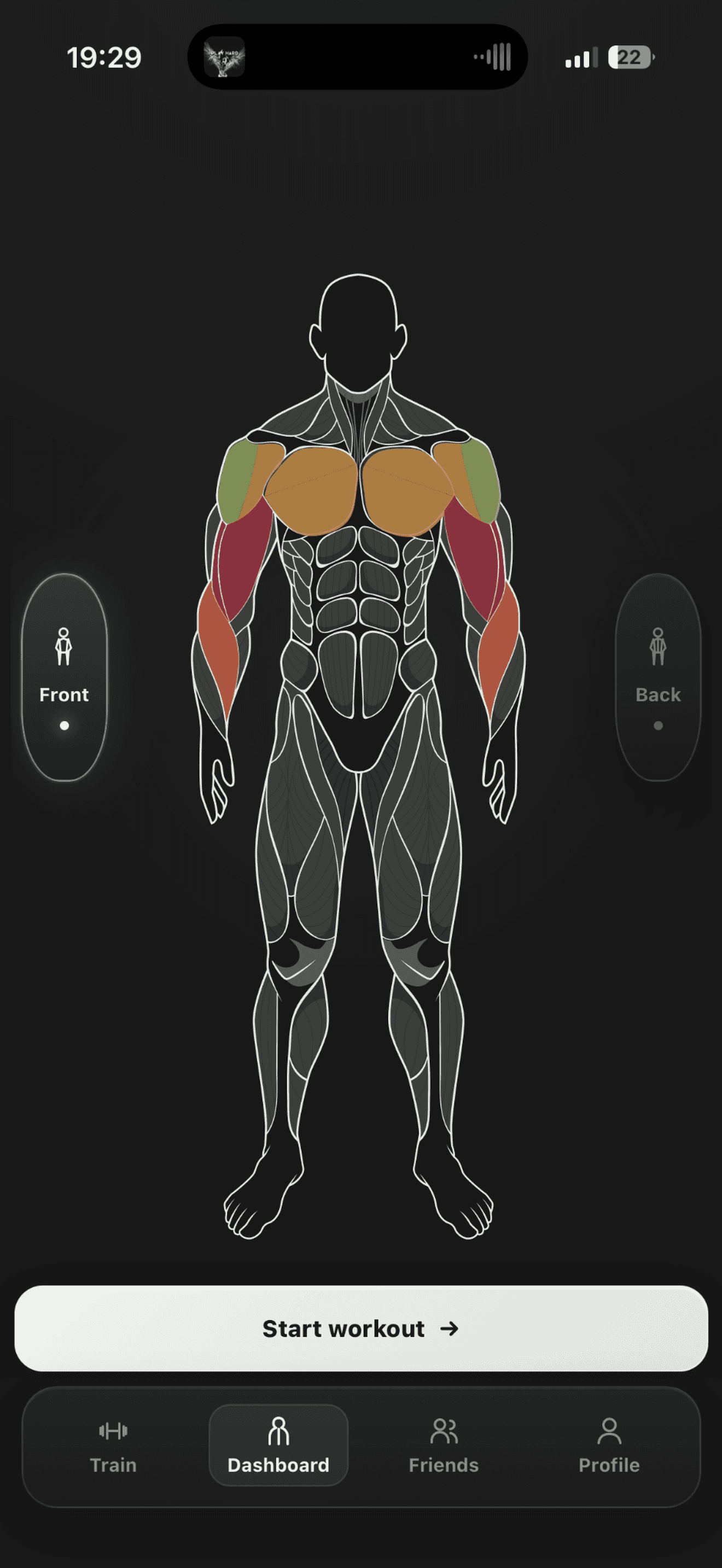
Explore front and back anatomy views. Select individual muscles on either side.
Explore featureProgress analytics
Review your recorded weights and reps. Explore exercise, workout, and muscle trends.
Explore featureLeft Upper Pectoralis Major
Tap a muscle to explore. Anatomy demo; open GymBro for your personal recovery estimates.
Your training.
Written on
your body.
Every exercise tells a story. See where it lands on an interactive muscle map, with front and back views that make your training easier to understand.
- Explore individual muscle regions
- Connect exercises to the muscles they train
- See recovery context in the app
Know what worked.
Consider what’s next.
Your last session matters to your next one. GymBro connects your logged workouts with estimated muscle recovery so you can approach your training with more context.
Estimates from your recorded training, with optional soreness feedback. Your experience always matters.
Understand recovery tracking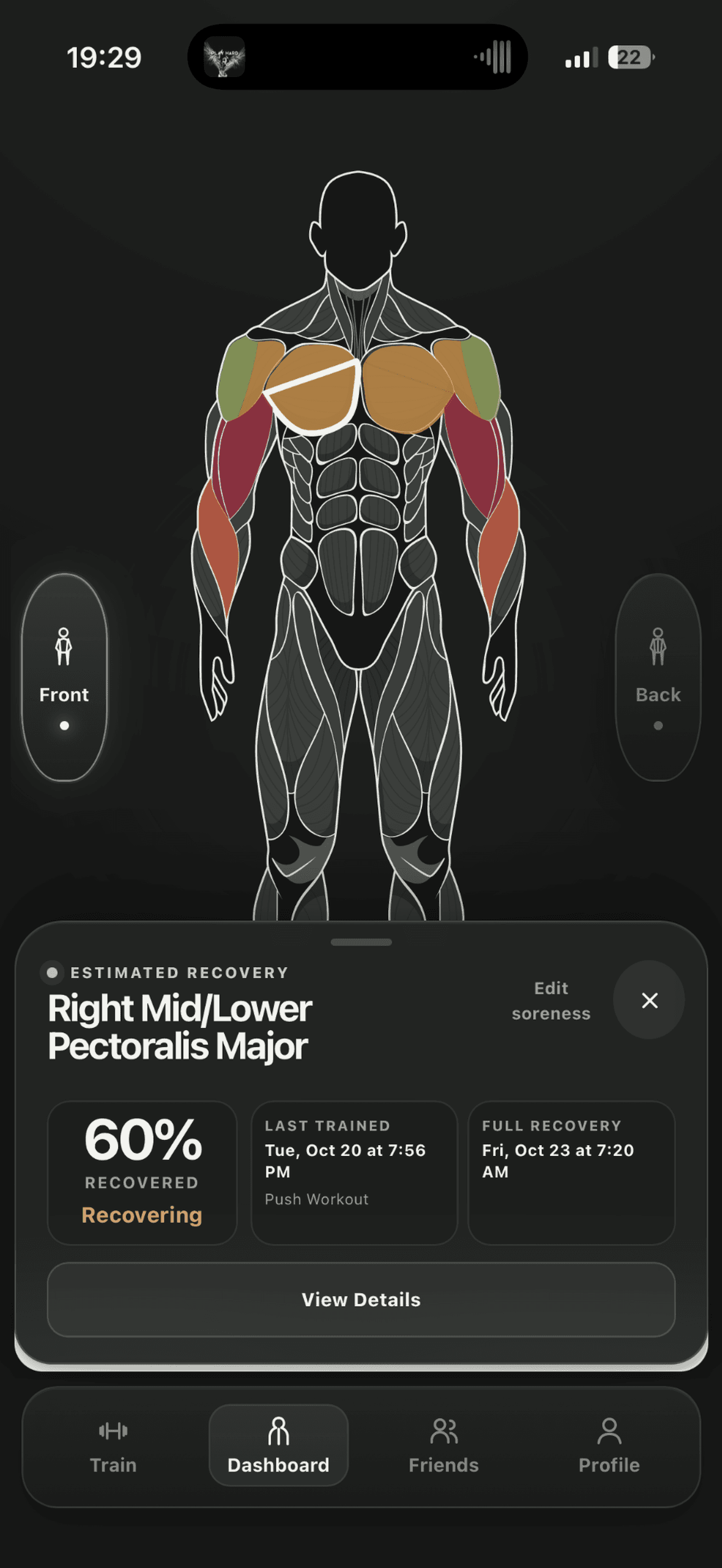
Show up. Log it.
Build on it.
A clear record of the work you put in.
A useful starting point for what comes next.
A home for every session.
Track sets, reps, and weights. Save your go-to workouts as presets and keep your history close.
Workout tracking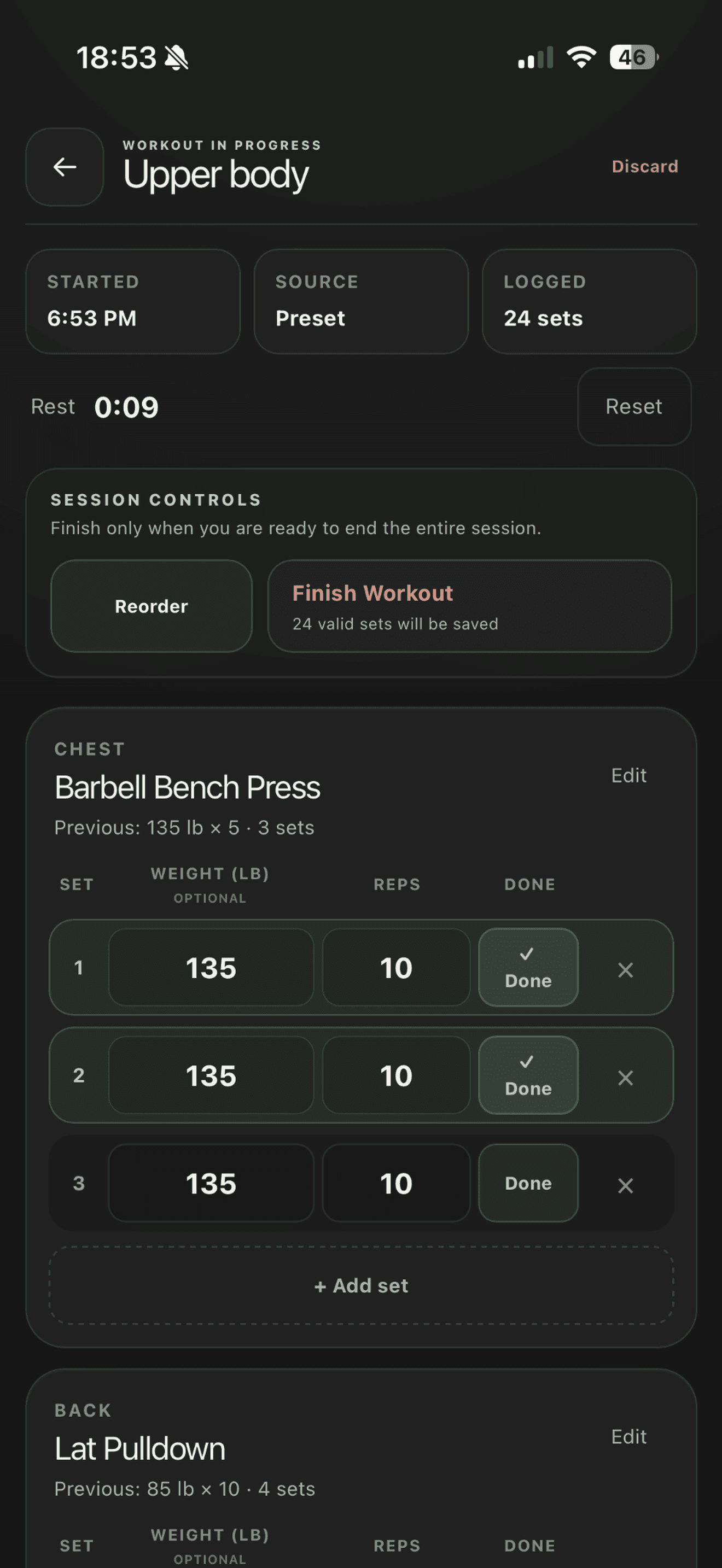
Progress you can look back on.
Review your training history, explore volume and strength trends, and choose your next step with context.
Progress analytics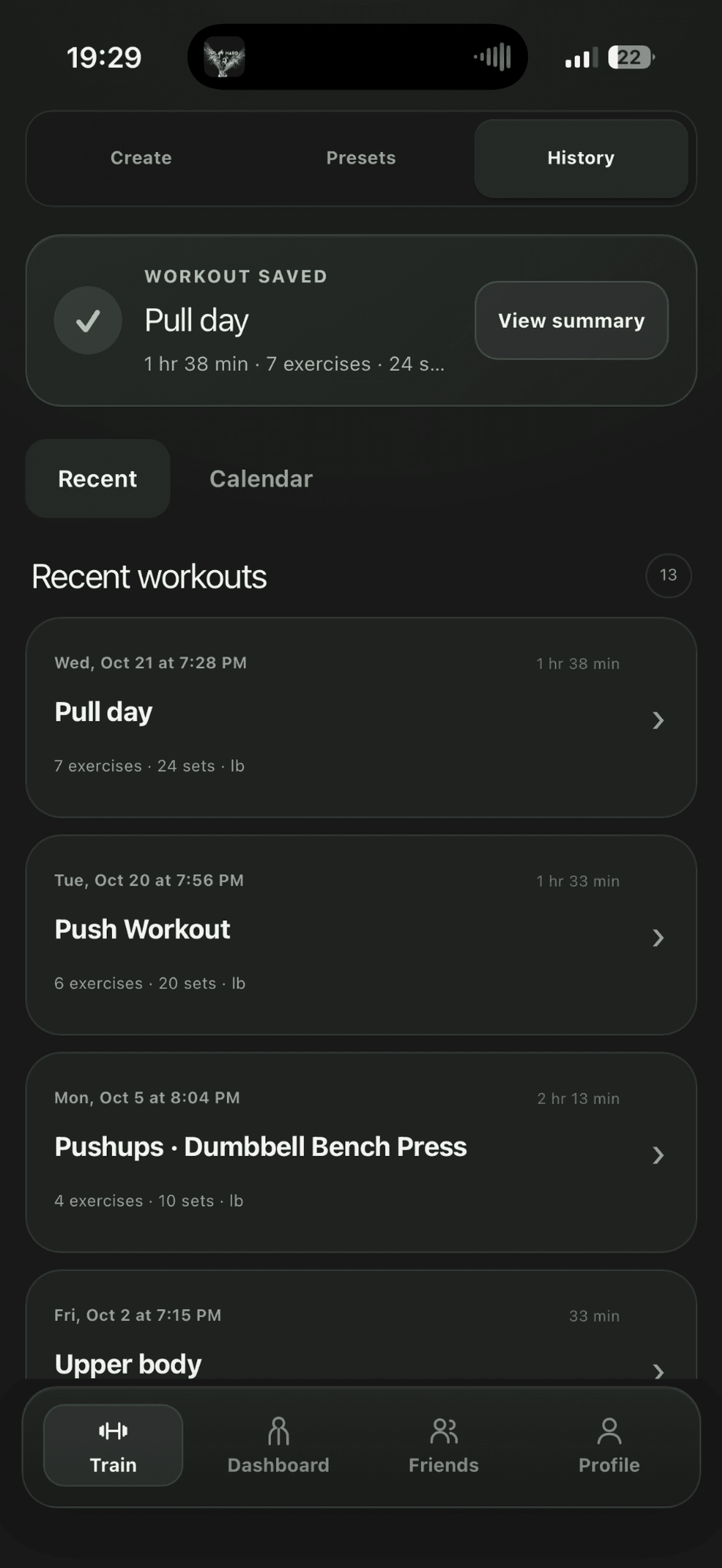
Keep your next workout and the one after it connected.
Less friction.
More consistency.
From your first set to your next session.
Make it yours.
Open GymBro, create your account, and choose the exercises for your workout. Save a preset to make next time easier.
Put in the work.
Log your sets, reps, and weights as you train. Finish the session to add it to your training history.
See the full picture.
Explore your muscle map, review recovery estimates, and use your progress history to approach the next session.
Made for the moments
between the sets.
Real screens. A focused experience.
Everything with a purpose.
See your training take shape.
Stay in your training flow.
Keep the work you put in.
Actual GymBro App Store screenshots. Interface may evolve.
A little clarity
before you start.
Get to know your next training companion.
What is GymBro?
GymBro is a workout tracker for iPhone and iPad, with a web app too. It is built for gym-goers who want to log sets, reps, and weights, explore an interactive muscle map, and review estimated recovery and training progress.
Can I use GymBro right now?
Yes. Download GymBro on the App Store for iPhone or iPad, or open the web app. Create an account to save your workouts and review your training history.
Which devices does GymBro support?
GymBro is available for iPhone and iPad with iOS or iPadOS 16.4 or later. You can also use the web app in your browser. An account is required to save your training.
How does muscle recovery tracking work?
GymBro estimates recovery from the exercises and sets in your completed workouts and how much time has passed. You can add optional soreness feedback. It is an estimate, not a direct measurement of muscle recovery.
Can I save and repeat a workout?
Yes. Build a workout, save it as a preset, and return to that structure for a future session. Your completed sessions remain in your training history.
What progress can I track?
Review your exercises, completed sets, reps, and recorded weights. Progress views help you explore training volume and estimated strength trends when enough data is available.
Make every
session mean more.
Your training. Your recovery. Your progress. Together.
For iPhone and iPad · iOS 16.4 or later. Also available on the web.